CPU vs GPU Bottleneck: Which Is Worse and Why?
You’ve spent hours researching, carefully selecting each part for your gaming rig or workstation. Maybe you dropped serious cash on a shiny new RTX card, expecting buttery-smooth performance. But the moment you fire up your favourite game or run a benchmark, something feels off. The frame rates just aren’t living up to the hype.
The likely culprit? A bottleneck.
In the world of PC building, CPU and GPU bottlenecks are the kind of issues that sneak up on you. They can seriously hold back performance, even if the rest of your setup looks great on paper. But which one is worse?
In this guide, you’ll learn:
- What bottlenecks are, explained with simple analogies
- The key differences between CPU and GPU bottlenecks
- Real world signs and GPU bottleneck symptoms
- Which type of bottleneck might be worse depending on your setup
- Practical ways to fix or avoid bottlenecks altogether
Let’s dive in and unlock your PC’s full performance potential.
What Is a Bottleneck?
Simply put, a bottleneck happens when one part of your system holds back the performance of another. Imagine your GPU as a wide highway that suddenly feeds into a narrow one-lane road, which is your CPU. Even if traffic is flying on the highway, it slows down as soon as it hits the narrow section.
In most PCs, bottlenecks usually show up between the CPU and GPU because those two components handle most of the workload in gaming and other demanding tasks.
CPU vs GPU Bottleneck: What’s the Difference?
Let’s break it down.
A CPU bottleneck happens when your processor can’t keep up with all the work it needs to do. This usually means the CPU is overwhelmed by tasks like handling physics, AI, and game logic, while your GPU sits there waiting for data.
On the flip side, a GPU bottleneck means the graphics card is the slowest part. You might see your CPU running at 40 to 60 percent, but your GPU is working flat out trying to render frames as fast as it can.
Quick Analogy
Think of a restaurant kitchen:
- The CPU is the head chef organizing and sending out orders.
- The GPU is the line cook preparing each dish.
If the chef is too slow, the kitchen stalls (CPU bottleneck). If the cook is too slow, the orders back up (GPU bottleneck).
Signs You Have a CPU Bottleneck
Keep an eye out for these signs that your CPU might be bottlenecking your gaming performance:
- Your CPU usage is constantly hitting 90 to 100 percent, while your GPU stays mostly idle.
- Games with lots of AI or large open worlds start to drop frames.
- You notice stuttering or uneven frame pacing during gameplay.
For example, imagine you’re playing Cities: Skylines or Cyberpunk 2077 with a powerful RTX 4070 Ti but paired with an older Ryzen 5 1600. In this case, your GPU is ready to go, but the CPU can’t keep up, which causes performance to suffer.
Signs You Have a GPU Bottleneck
Here are some common signs that your GPU might be holding back your system:
- Your GPU usage is stuck between 95 and 100 percent, while the CPU usage stays moderate.
- Frame rates feel stable but seem capped by what your GPU can handle.
- This often happens when playing at high resolutions or with ultra graphics settings.
For example, if you’re running a Ryzen 7 5800X paired with a GTX 1660 Super, games that push graphics hard like Starfield will max out the GPU, while the CPU still has plenty of breathing room.
So, which bottleneck is actually worse?
It really depends on what you’re trying to do, but generally, CPU bottlenecks are more limiting and trickier to fix.
Here’s why CPU bottlenecks can cause bigger headaches:
- You can’t easily fix them just by tweaking in-game settings.
- They impact multitasking, load times, and streaming performance.
- CPUs tend to be upgraded less often than GPUs, so you might be stuck with the problem longer.
On the other hand, GPU bottlenecks are usually easier to manage:
- Dropping your graphics settings often reduces the load right away.
- Technologies like DLSS and FSR can boost frame rates without needing new hardware.
- Plus, most modern games are designed to push the GPU harder, so hitting a GPU bottleneck is pretty normal.
Real World Use Cases: Gamers vs Creators
For gamers, it’s usually best to have a system that leans a bit toward being GPU-bound. This way, you’re getting the most out of your graphics performance and can easily tweak settings to find the right balance for smooth frame rates.
If you’re a content creator, things are a bit different. You need a strong CPU and GPU working together. Whether you’re editing videos, streaming live, or doing 3D work, a powerful multi-core CPU paired with a solid GPU is essential. Otherwise, a CPU bottleneck can seriously hurt your stream quality or slow down rendering times.
How to Check for Bottlenecks
If you want to figure out whether your system is held back by the CPU or the GPU, there are some handy tools you can use.
MSI Afterburner and GeForce Experience both offer overlays that let you watch your CPU and GPU usage in real time.
Keep an eye on those numbers and also monitor your frame times, stuttering or uneven pacing can be a clue. If you see your CPU running at full capacity while the GPU isn’t fully busy, then you’re probably dealing with a CPU bottleneck. On the flip side, if your GPU is maxed out and the CPU still has room to spare, it’s likely the GPU that’s the weak link.
How to Fix or Prevent Bottlenecks
If you’re trying to fix a bottleneck, here are some practical tips to get you started. Let’s start with the CPU.
Fixing CPU Bottlenecks
- Upgrade to a modern, multi-core CPU like the Ryzen 5 5600X or Intel i5-12400.
- Avoid pairing a high-end GPU with a budget or entry-level CPU.
- Close any unnecessary background apps before you start gaming.
- Tweak your in-game settings by lowering things like draw distance, shadows, or AI complexity.
Fixing GPU Bottlenecks
- Make sure your GPU matches your monitor’s resolution and refresh rate.
- Try reducing graphics settings before deciding to upgrade your hardware.
- If you’re gaming at 1440p or 4K, investing in a stronger GPU can make a big difference.
- Use technologies like DLSS or FSR to boost frame rates without sacrificing too much quality.
Frequently Asked Questions (FAQs)
Can both CPU and GPU bottlenecks happen at the same time?
Yes, especially in complex games. For example, a title with lots of AI and ray tracing can stress both the CPU and GPU.
Is it bad to always have a GPU bottleneck?
Not necessarily. Most modern games are designed to be GPU-bound. As long as your frame rates are stable, it’s fine.
Will upgrading RAM fix a bottleneck?
It depends. If you’re low on RAM or using slow memory, it can cause your CPU to work harder. But RAM alone won’t fix a CPU or GPU mismatch.
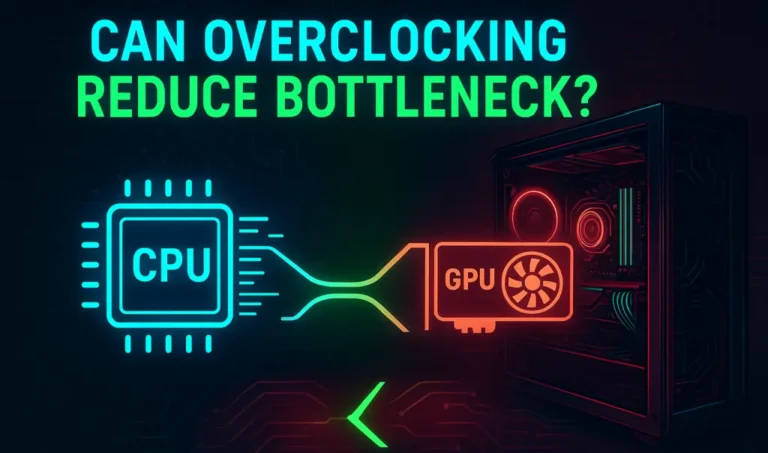
Should I overclock to reduce a bottleneck?
Overclocking your CPU or GPU can help, but it also increases power consumption and heat. Only do this if you have proper cooling and experience.
Conclusion: Balance Is Everything
So, which bottleneck is worse, the CPU or the GPU? Well, it really depends on what you use your computer for. From my experience, CPU bottlenecks often end up being more of a roadblock in the long run.
That said, every system will lean more toward one side or the other. The key is to keep that imbalance small and intentional, based on whether you care most about high frame rates for gaming, smooth content creation, or multitasking.
When you build your PC with balance in mind, you make sure you’re not wasting your money or leaving performance on the table. A well-matched setup means everything runs smoothly and efficiently.