Can Overclocking Reduce CPU/GPU Bottleneck? A Complete Guide
You have built a gaming PC.
You have spent hours comparing CPUs, GPUs, RAM, and even RGB fans that glow like a disco ball.
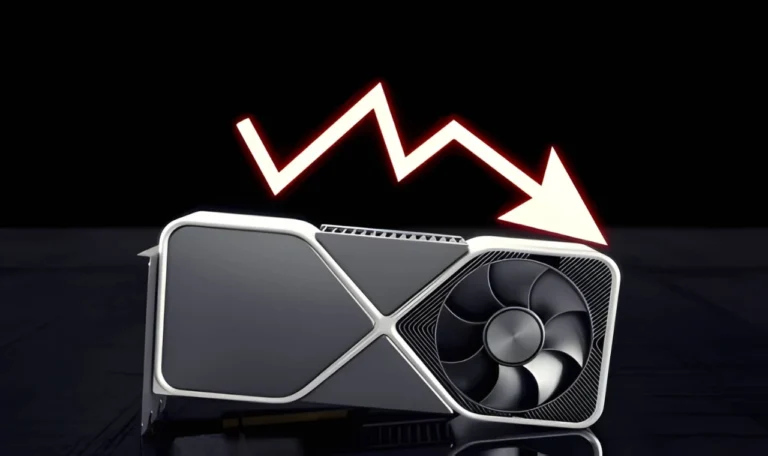
But once you start gaming, did you get the performance!? Something feels off. Your graphics card screams for more power, or your processor looks like it’s running a marathon while the GPU chills. That, my friend, is a bottleneck.
Now the big question: Can overclocking fix it?
Some gamers swear by it. Others say it’s a waste of time, or worse, a PC killer. So, let’s break it down.
In this guide, you’ll learn whether overclocking can reduce CPU/GPU bottlenecks, how safe it is, what risks come with it, and the right way to do it.
What Is Overclocking?
Suppose your CPU or GPU is a car engine. Overclocking is like pressing the pedal harder to squeeze out extra horsepower.
By default, processors and graphics cards run at “safe speeds.” Manufacturers set these speeds to balance the performance, heat, and long-term stability. Overclocking pushes them beyond those limits.
- CPU overclocking = forcing your processor to run faster.
- GPU overclocking = giving your graphics card a boost.
Sounds great, right? More power for free.
Well, not exactly. With more speed comes more heat, power consumption, and risk.
And here is the link to bottlenecking. The next step is to understand the bottleneck.
What Is a Bottleneck?
Think of a bottleneck like rush hour traffic. The highway (GPU) is wide, but if the toll booth (CPU) is slow, cars pile up. No matter how fast the highway is, everything slows down at the booth.
In PCs:
- CPU bottleneck: Your processor can’t keep up with the graphics card.
- GPU bottleneck: Your graphics card struggles while your CPU sits bored.
Overclocking is like telling the toll booth worker, “Hey, work faster.” Sometimes it helps, sometimes it doesn’t.
Does Overclocking Reduce CPU/GPU Bottleneck?
The honest truth is: Yes, but it works only when you are overclocking the part that is actually bottlenecking.
Before you start, run our Bottleneck Calculator Tool. It will show you exactly where the weak link is.
Overclocking the CPU
If your CPU is too slow, your GPU sits idle waiting for frames. Overclocking the CPU can speed things up, reduce frame drops, and make better use of your GPU.
But don’t expect miracles. If your processor is outdated (like pairing an Intel i3 with an RTX 4090), overclocking would not save you. It will be like teaching a bicycle to keep up with a bike.
Overclocking the GPU
This helps when the GPU is the slow one. Games running at ultra settings, high resolutions, or ray tracing usually stress the graphics card. A little GPU overclocking can squeeze out more FPS.
But again, it would not magically erase a bottleneck.
CPU vs GPU: Which Should You Overclock?
This is one of the most debated questions.
If you are facing a CPU bottleneck (low CPU speed, GPU underutilized): overclock the CPU.
If you are facing a GPU bottleneck (GPU always at 99%, CPU chilling): overclock the GPU.
If both are struggling, maybe it is time to upgrade.
A funny way to look at it: overclocking the wrong component is like giving an energy drink to the guy who is already running, while the lazy one is still sitting on the couch.
Safe Overclocking Guide for Beginners
Overclocking sounds scary. And yes, if you go wild, you can fry parts. But done carefully, it is relatively safe.
Here’s a simple roadmap:
- Research your hardware because not all CPUs and GPUs overclock well. Some are locked. Some need specific motherboards.
- Use software tools or BIOS software tools like MSI Afterburner or Intel XTU
- Gradually increase clock speed; do not jump 400 MHz at once. You can use these tools(Prime95, FurMark, 3DMark) for a stress test (stability).
- Keep an eye on temperatures with HW Monitor or similar. If your CPU is 90°C+, back off.
- Upgrade cooling if needed because good air or liquid cooler helps when built-in coolers are not enough.
- When you capture a balance point, save the settings(stable profile).
Overclocking is like adding sugar to coffee. A little improves the flavor, but too much will ruin the taste.
Risks and Downsides of Overclocking
Everything has merits and demerits. So, overclocking also comes with risks:
- Heat: Higher clock speeds produce more heat. If your cooling is inadequate, the system may slow down or shut down.
- Instability: Pushing things too far may cause the system to crash, display blue screens, or even corrupt files.
- Shortened lifespan: Extra stress degrades components faster than usual use.
- Warranty void: Many manufacturers will not honor warranties if their hardware fails due to overclocking.
- Diminishing returns: Sometimes the advantage is only a few frames per second, but the risk is significantly greater.
In short, while overclocking can help to decrease bottlenecks, it is not always worthwhile.
Expert Insights from Gamers and Forums
Many gamers share the same advice: Overclocking helps, but don’t expect miracles.
On Tom’s Hardware, one user said:
“Overclocking your CPU can help with a bottleneck to a certain degree. But if you’re pairing a weak CPU with a monster GPU, it won’t save you.”
On Linus Tech Tips, a gamer pointed out:
“GPUs don’t really bottleneck CPUs. You could just increase resolution or graphics settings instead.”
Reddit users often mention that bottlenecks are normal. Every system has one. The goal is to manage it, not chase the impossible dream of zero bottleneck.
Other Ways to Reduce Bottlenecks (Without Overclocking)
Overclocking is not the only trick. Here are some other options:
- Adjust game settings to Lower CPU heavy settings (like draw distance or shadows). Or increase resolution to shift the load toward the GPU.
- Close background apps: Browsers, Discord overlays, and even RGB software eat CPU cycles.
- Upgrade drivers: Outdated drivers lead to wasted performance.
- Upgrade hardware, sometimes the only real solution.
Conclusion
So, can overclocking reduce CPU/GPU bottleneck?
Yes! sometimes. It can make your CPU or GPU work harder, close performance gaps, and give you smoother frames. But it’s not a magic fix.
If your hardware is too mismatched, overclocking would not save you. You will need to adjust settings or upgrade.
Still, if done safely, overclocking is worth a try. Think of it as squeezing a little extra juice from your hardware before you invest in new parts.